Armored Blox Updates & Patch Tracking
Stay current while the BETA keeps moving.
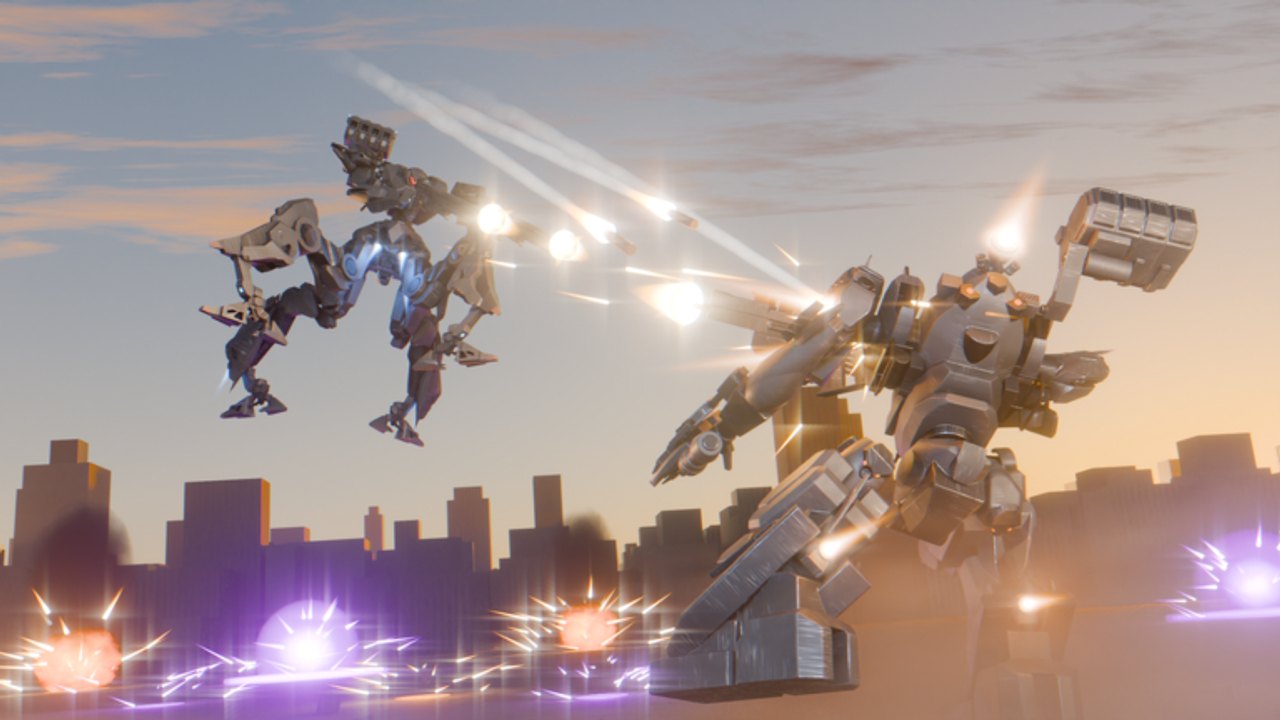
The Updates Hub helps you track Armored Blox changes while the game remains in BETA on Roblox. Developed by 48devs and listed as [2v2s] Armored Blox [BETA], the experience is young (created October 2026) and still iterating on assembly options, mobile quality-of-life, cosmetics, and weapon balance.
This hub explains how to watch for patches, what beta players should expect emotionally and mechanically, and where our unofficial summaries live. For a concrete community-noted changelog style page, open Patch Notes. For a dated living snapshot (visits, favorites, overhaul expectations), open BETA Status.
Why patch tracking matters in Armored Blox
AC-style games punish outdated loadouts. A generator tweak or shotgun adjustment can flip 2v2 roles overnight. If you only memorize one garage setup from a YouTube video dated last month, you will wonder why your “S-tier” kit suddenly feels empty. Pair update reading with:
Where to watch for official signals
Use multiple sources; do not rely on a single Discord screenshot:
- Roblox experience page — description edits, thumbnails, and update timestamps on the official Armored Blox place.
- 48devs group / developer posts — group shouts and related experiences often hint at live changes.
- In-game notices — beta titles sometimes surface patch toasts or garage mail.
- Trusted creators — overview videos can highlight new systems; verify in your own client.
- Community Discord discussion — useful for AC6 name mapping and rapid rumor control, but rumors are not patch notes.
When something lands, we summarize cautiously on Patch Notes and mark it as unofficial until confirmed broadly.
What “BETA” should mean for your expectations
| Expect | Do not expect |
|---|---|
| Bugs, rubber-banding, UI renames | Perfect balance on day one |
| Feature experiments (colors, layouts, expansions) | Every AC6 part parity overnight |
| Nerfs to breakout weapons | Permanent free S-tier shotguns |
| Temporary downtime or data resets (possible in any beta) | Instant refunds for every experiment |
Armored Blox already shows community-facing momentum: custom AC colors, mobile support with custom button layouts, core expansions, and balance talk around Zimmerman-style shotguns. Those are signs of an active beta, not a finished competitive season.
How to adapt after a patch
Use a short loop:
- Read the summary on Patch Notes or primary sources.
- Identify whether your main weapon, frame, or QoL habit was touched.
- Test in a low-stakes match before ranked grind — see Ranked.
- Adjust one slot at a time using Builds principles.
- Update your checklist on the Tools pages so your duo shares the new plan.
If mobile controls changed, revisit Controls and Mobile tips before blaming your aim.
Update cadence mindset
Young Roblox experiences can ship quiet hotfixes without long essays. Practical habits:
- Recheck the experience page when visit spikes or social posts explode.
- Keep a second comfort loadout that does not share the same nerf target.
- Avoid scripted “auto update log” extensions — see Scripts Hub for why injectors are a bad idea.
- Do not hoard resources forever waiting for a perfect patch; play and learn systems via Getting Started.
How this wiki structures update content
- Updates Hub (this page) — process and expectations
- BETA Status — living Nov 2026 snapshot and how to verify changes in-client
- Patch Notes child page — unofficial, community-noted changes with clear caveats
- Cross-links into Guides and Tier List pages when a change alters advice
We will not invent patch dates or fake version numbers. If a change is uncertain, we say so.
Related reading
- BETA Status — visits, favorites, overhaul mindset
- Patch Notes — unofficial change summary
- Codes Hub — whether a milestone shipped redeemables
- Wiki overview — game identity and beta context
- Guides Hub — refresh fundamentals after balance swings
Frequently Asked Questions
Quick answers for Armored Blox pilots.
Where are Armored Blox patch notes?
Start with our unofficial Patch Notes page, then confirm on the Roblox experience page and 48devs channels. Beta notes can be sparse or informal.
How often does the beta update?
Cadence varies. Watch the official place, group posts, and community reports rather than assuming a fixed weekly schedule.
Will my loadout get nerfed?
Popular breakout kits often receive attention in beta. Keep a flexible secondary build and re-read weapon or frame tier guidance after changes.
Are wiki patch notes official?
No. They are fan-made summaries for players. Always defer to 48devs and the live Roblox client when details conflict.
What should I do right after a big update?
Skim Patch Notes, test in casual matches, adjust one loadout slot, and sync plans with your duo before ranked sessions.